Configuration
The initial integration setup is completed through the Home Assistant UI using a multi-step wizard. Feature-specific controls available after setup are documented on their respective pages in the Features section.
Home Assistant wizard configuration
flowchart TD
    A[1. Main sensor config] --> B[2. Number of batteries]
    B --> C[3. Per-battery config]
    C --> D{Time slots?}
    D -- Yes --> E[4. Time slots config]
    D -- No --> F
    E --> F{Excluded devices?}
    F -- Yes --> G[5. Excluded devices config]
    F -- No --> H
    G --> H{Predictive charging?}
    H -- Yes --> I[6. Predictive charging mode config]
    H -- No --> J
    I --> J
J[Done]| Section | Description | Required |
|---|---|---|
| Sensors | Grid consumption sensor and solar sensor (home consumption is derived) | ✅ |
| Batteries | Per-battery configuration, with connection details for each supported brand | ✅ |
| Time slots | Discharge/charge windows with per-slot parameters | ❌ |
| Excluded devices | Heavy loads to ignore | ❌ |
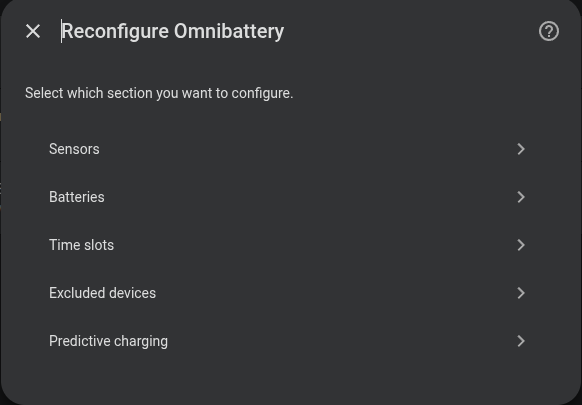
| Predictive charging | Grid charging when solar forecast is insufficient | ❌ |
Modifying the configuration
Once installed, any parameter can be changed at: Settings → Devices & Services → Omnibattery → Configure