Battery configuration
Omnibattery can coordinate up to ten batteries in one installation. Choose the brand for each unit in the Home Assistant wizard, then use the corresponding page below for its connection fields and brand-specific limits. The control loop, dashboard, predictive charging and most runtime controls are shared.
Choose a battery brand
| Brand | Connection | Documentation |
|---|---|---|
| Marstek | Modbus TCP, Modbus RTU or a LilyGo/ESPHome bridge | Marstek |
| Zendure | Local HTTP API | Zendure |
| Anker SOLIX | Modbus TCP | Anker SOLIX |
| Huawei SUN2000 + LUNA2000 | Modbus TCP, with Huawei Solar services or direct control | Huawei |
| Sessy | Local HTTP API through the Sessy dongle | Sessy |
| Hoymiles MS-A2 / HiBattery | MQTT through Home Assistant | Hoymiles MQTT |
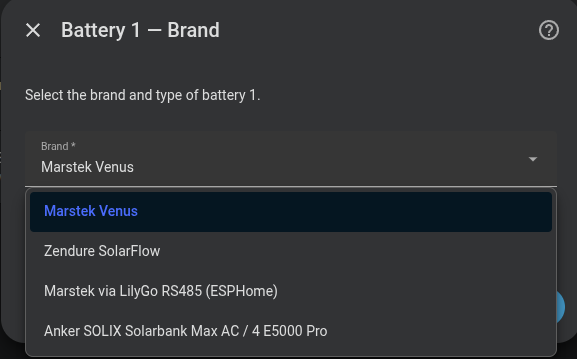
ESPHome is a connection method for a Marstek battery, not a separate battery brand. Select Marstek via LilyGo RS485 (ESPHome) when the battery is exposed to Home Assistant by a LilyGo bridge.
Number of batteries
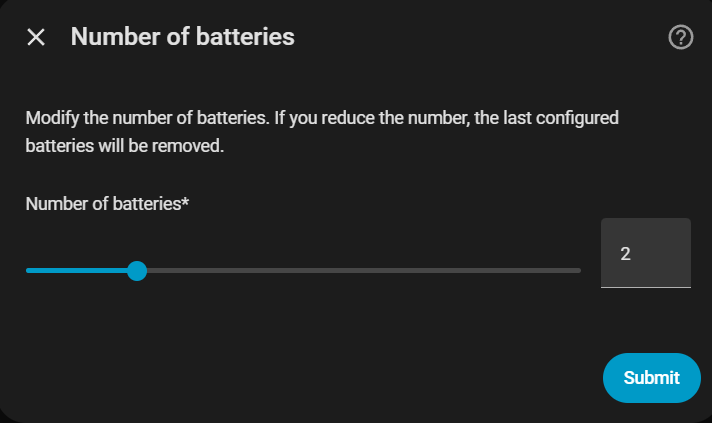
Select how many battery units you have (1–10). The integration asks you to configure each unit separately, so a mixed installation can combine supported brands.
Common per-battery settings
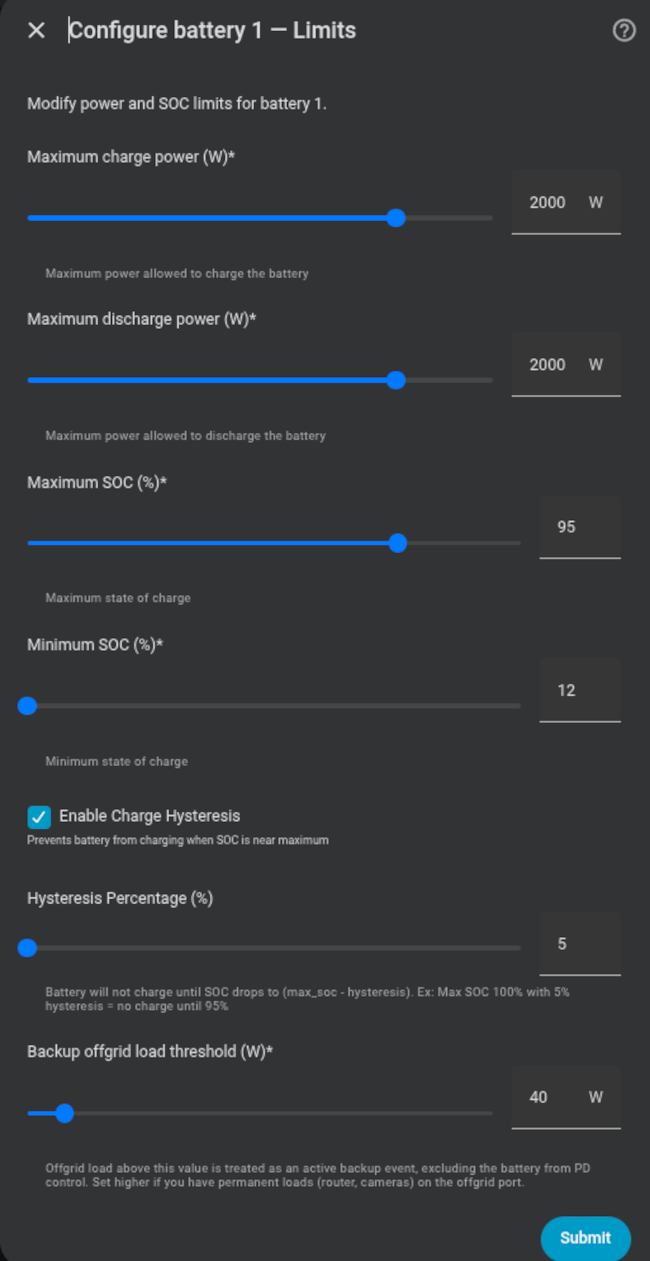
Every battery has a name, charge/discharge limits, SOC limits, charge hysteresis and a backup offgrid threshold. The connection page and any brand-specific fields differ; see the brand pages above for those details.
| Setting | Purpose |
|---|---|
| Name | Identifies the battery in Home Assistant and the Omnibattery dashboard. |
| Max charge/discharge power | Caps the power Omnibattery may request. Some brands report these hardware caps automatically. |
| Max SOC | Stops charging at the configured upper SOC limit. |
| Min SOC | Stops discharging at the configured lower SOC limit. |
| Charge hysteresis | Prevents rapid cycling after a battery reaches its upper SOC limit. The minimum is 2%. |
| Backup offgrid threshold | Excludes a battery from PD control when its offgrid load indicates an active backup event. |
| Nominal capacity | Used for stored-energy and efficiency calculations when the brand does not provide a capacity counter. |
SOC and power limits at runtime
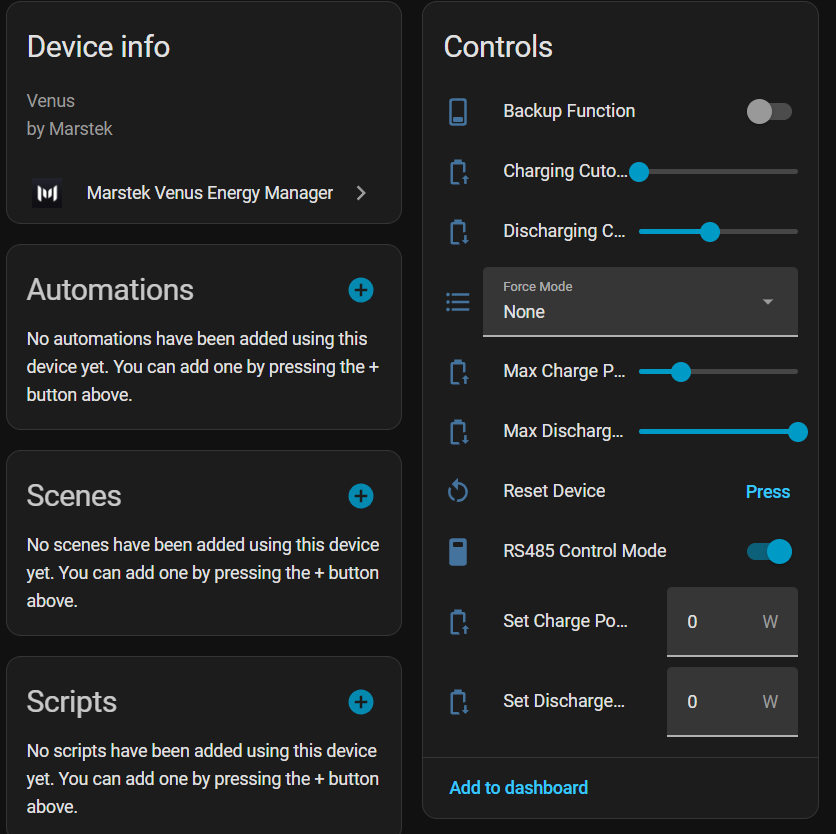
Max/min SOC and max charge/discharge power can be adjusted at any time using the integration's sliders without reconfiguring. Changes are persisted and restored on every Home Assistant restart.
The per-battery Battery Manual Control switch is also available at runtime.
It hands the battery to the user after verifying 0 W, keeps it out of the
automatic pool, and persists that ownership across restarts. See the
multi-battery guide
for the handoff behavior and its effect on the other batteries.
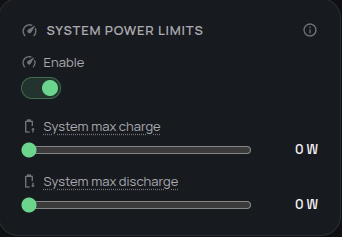
System power limits
Configure the optional combined charge and discharge caps from the Omnibattery
Dashboard. Each battery's individual limit still applies, and setting either
system cap to 0 W disables that cap.
Backup offgrid threshold
The Backup Offgrid Threshold number entity is available on each battery's device card. Raise it when the offgrid port has a permanent load such as a router, PoE switch or IP cameras; otherwise that load can keep the battery excluded from PD control.
| Load scenario | Recommended threshold |
|---|---|
| No permanent offgrid loads | 0 W |
| Small standby loads (~20–40 W) | 50 W (default) |
| Heavier permanent loads (~80–120 W) | 150 W |
When Backup Function is enabled and the measured offgrid load is above the threshold, the battery manages itself autonomously. A five-minute cooldown applies after the load falls below the threshold.
Related configuration
- Time slots control when batteries may charge or discharge.
- Predictive charging schedules optional grid charging.
- Multi-battery management explains how power is shared between units.