Battery configuration
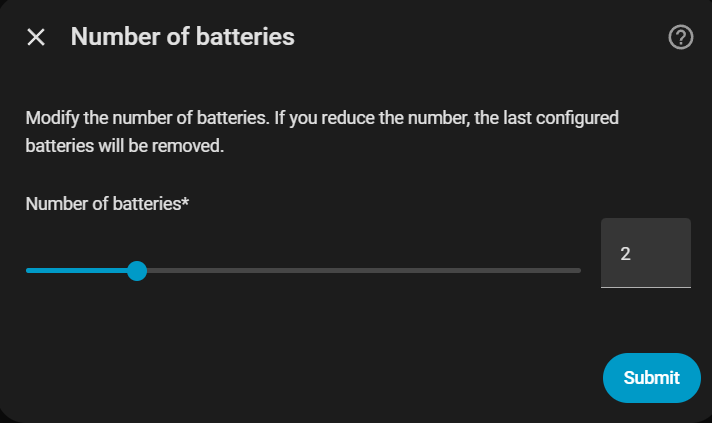
Number of batteries
Select how many Marstek Venus units you have (1–6). The integration will ask you to configure each one separately.
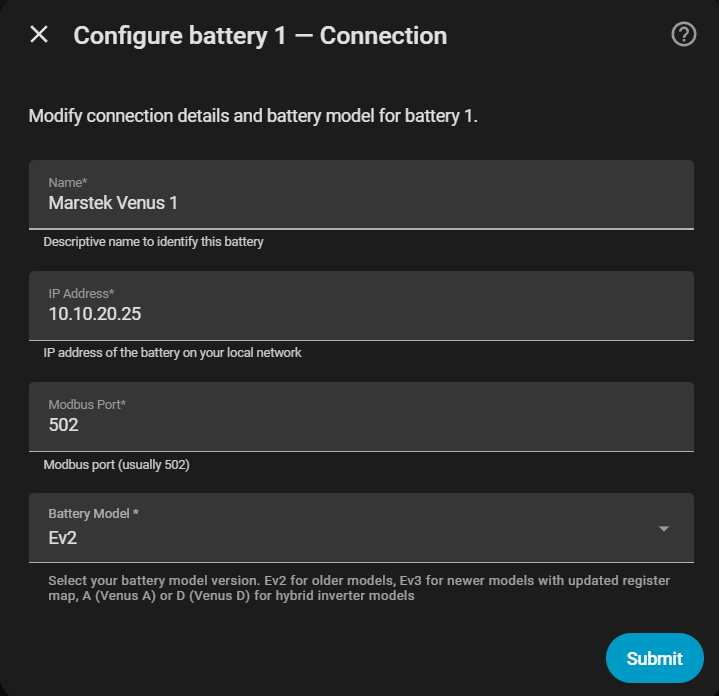
Per-battery parameters
| Parameter | Description | Default |
|---|---|---|
| Name | Unique identifier (e.g. "Venus 1") | — |
| Host | IP address of the Modbus TCP converter | — |
| Port | Modbus TCP port | 502 |
| Modbus Slave ID | Map several batteries to one IP:port using distinct slave ids | 1 |
| Version | Battery model | — |
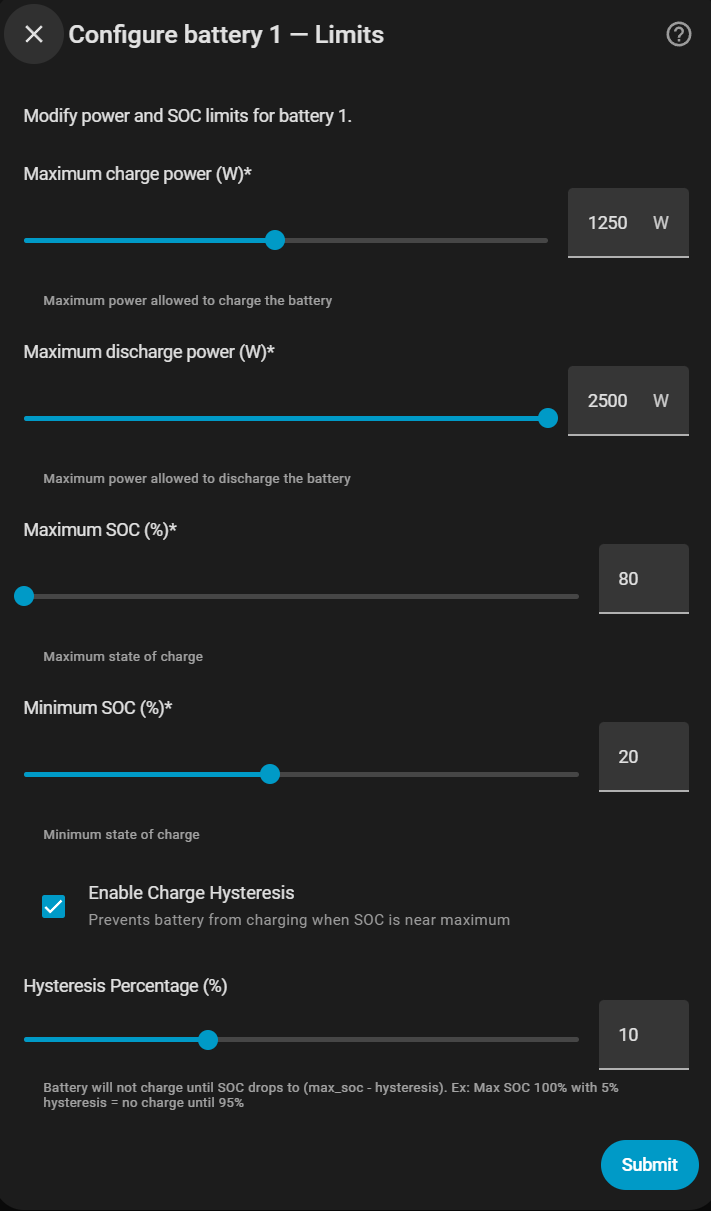
| Max charge/discharge power (W) | Rated charge/discharge power of your setup | — |
| Max SOC (%) | Stop charging at this percentage | 100 % |
| Min SOC (%) | Stop discharging at this percentage | 12 % |
| Enable Charge Hysteresis | Prevents battery from charging when SOC is near maximum | Off |
| Hysteresis Percentage (%) | Margin to avoid rapid cycling near the charge limit | — |
| Backup offgrid threshold (W) | Minimum offgrid load (W) to be considered an active backup event | 50 W |
| Enable 100% charge voltage taper | For 100% SOC limit charge to 95W at 3.48V max cell and stop at 3.58V to measure cell imbalance after 60 seconds | On |
Battery versions
| Version | Models |
|---|---|
v1/v2 |
Venus E v1, Venus E v2 |
v3 |
Venus E v3 |
vA |
Venus A |
vD |
Venus D |
Maximum power 2500 W
Only use 2500 W mode if you are certain your domestic installation can safely handle that power level.
SOC and power limits at runtime
Max/min SOC and max charge/discharge power values can be adjusted at any time using the integration's sliders without reconfiguring. Changes are persisted and restored on every Home Assistant restart.
If you raise a battery's Max SOC to 100 %, that battery uses voltage-based top protection: 95 W charge throttle from max_cell_voltage >= 3.48 V, then charging stops at 3.58 V and the integration waits 60 s to record the balance measurement. Charging then stays stopped (it does not re-trickle and there is no forced discharge) until SOC drops a small margin — so the cell relaxes off the top instead of being held there. See Cell balance monitor for the exact entry and exit conditions.
Backup offgrid threshold at runtime
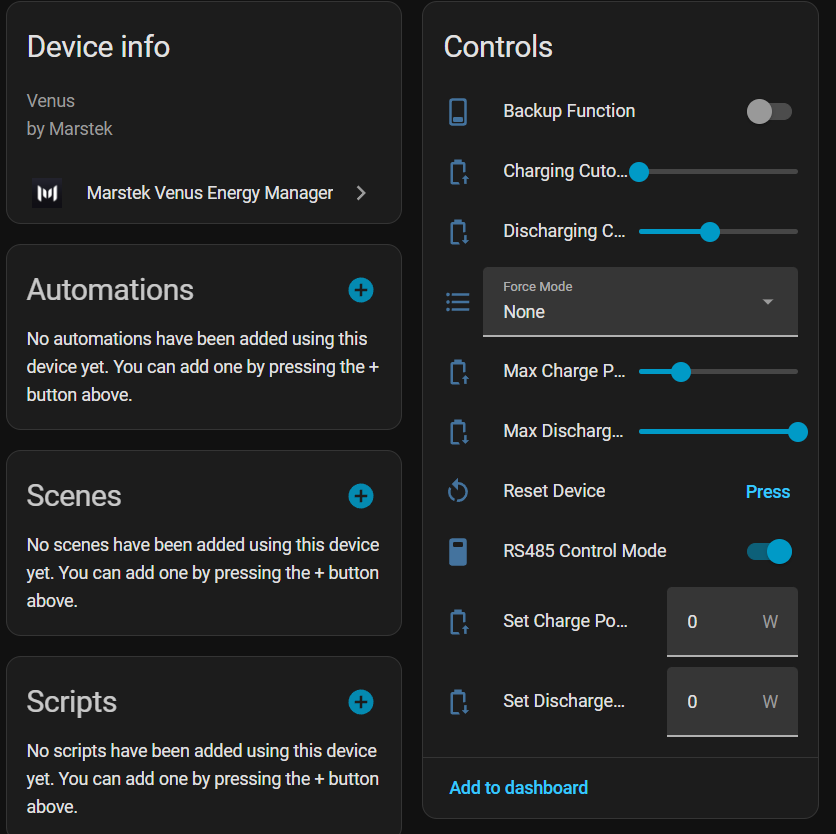
The Backup Offgrid Threshold number entity (visible on each battery's device card, under configuration entities) lets you adjust the threshold at any time without entering the options flow. Raise it if your battery has small permanent loads on its offgrid port — such as a PoE switch, router, or IP cameras — that would otherwise keep it permanently excluded from PD control.
| Load scenario | Recommended threshold |
|---|---|
| No permanent offgrid loads | 0 W (any load triggers exclusion) |
| Small standby loads (router + switch, ~20–40 W) | 50 W (default) |
| Heavier permanent loads (NAS, AP, cameras, ~80–120 W) | 150 W |
How it works
When the Backup Function switch is ON and the measured offgrid load is above the threshold, the battery is excluded from PD control and manages itself autonomously. A 5-minute cooldown applies after the load drops back below the threshold, to avoid sending commands immediately after a backup event ends.