Configuration
The integration is configured entirely from the Home Assistant UI through a multi-step wizard.
Wizard steps
flowchart TD
    A[1. Main sensor config] --> B[2. Number of batteries]
    B --> C[3. Per-battery config]
    C --> D{Time slots?}
    D -- Yes --> E[4. Time slots config]
    D -- No --> F
    E --> F{Excluded devices?}
    F -- Yes --> G[5. Excluded devices config]
    F -- No --> H
    G --> H{Predictive charging?}
    H -- Yes --> I[6. Predictive charging mode config]
    H -- No --> J
    I --> J{Weekly full charge?}
    J -- Yes --> K[7. Weekly full charge day]
    J -- No --> L
    K --> L{Solar charge delay?}
    L -- Yes --> M[8. Solar charge delay config]
    L -- No --> N
    M --> N{Capacity protection?}
    N -- Yes --> O[9. Capacity protection config]
    N -- No --> P
    O --> P{Hourly net balance?}
    P -- Yes --> Q[10. Hourly net balance config]
    P -- No --> R
    Q --> R{PD controller advanced?}
    R -- Yes --> S[11. PD controller advanced config]
    R -- No --> T[Done]
S --> T| Step | Description | Required |
|---|---|---|
| Main sensor | Grid consumption sensor and solar sensor (home consumption is derived) | ✅ |
| Batteries | Number of battery units | ✅ |
| Batteries | Per-battery config : name, IP, port, version, power limits and SOC | ✅ |
| Time slots | Discharge/charge windows with per-slot parameters | ❌ |
| Excluded devices | Heavy loads to ignore | ❌ |
| Predictive charging | Grid charging when solar forecast is insufficient | ❌ |
| Weekly full charge | Charge batteries to 100% once a week to balance the cells | ❌ |
| Solar charge delay | Avoid to charge the batteries early if expected solar production will suffice | ❌ |
| Capacity protection | Reserves a portion of battery capacity for demand spikes (peak shaving) | ❌ |
| Hourly net balance | Sets the hourly net import/export energy to a specific target (default 0 Wh) | ❌ |
| PD controller (advanced) | Finetune the PD controller to keep the grid flow to the configured target | ❌ |
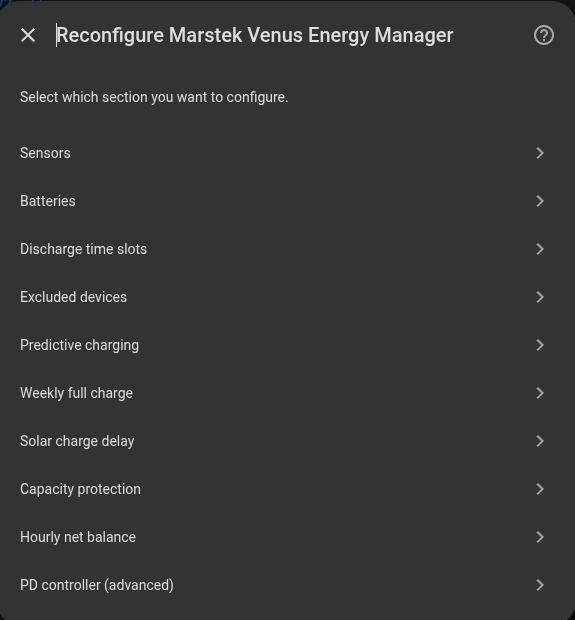
Modifying the configuration
Once installed, any parameter can be changed at: Settings → Devices & Services → Marstek Venus Energy Manager → Configure